Image Puzzle Studio with React Flow - fun to play
Pro
About Image Puzzle Studio with React Flow - fun to play
Image Puzzle Studio is an interactive puzzle-building application that combines React Flow's flexible canvas with customizable image puzzle gameplay. It's built with React, @xyflow/react, and TypeScript, and it's part of the Interactive Applications category in the VisualFlow examples library.
Image Puzzle Studio with React Flow: Build Interactive Image Puzzle Games in React
React Flow is widely recognized as a powerful library for building workflow editors, node-based interfaces, diagrams, and visual automation systems. However, its capabilities extend far beyond traditional flowcharts.
Image Puzzle Studio with React Flow demonstrates how developers can use the same flexible canvas technology to create an entirely different experience: an interactive image puzzle application where users can upload their own pictures, customize puzzle layouts, and play directly in the browser.
By combining React, TypeScript, and @xyflow/react, Image Puzzle Studio transforms a familiar image into a customizable digital jigsaw experience.
For developers exploring creative React Flow examples, interactive canvas applications, or browser-based games, this project offers an interesting perspective on what node-based interfaces can achieve.
What Is Image Puzzle Studio?
Image Puzzle Studio is an interactive image puzzle application built with React Flow. It allows users to transform personal images into playable puzzles without requiring external desktop software.
Users can upload an image or select a built-in template, configure the puzzle grid, choose a tile style, and start playing immediately.
The application combines customizable visual elements with interactive gameplay features, making it more than a conventional image viewer or puzzle generator.
Built with React, TypeScript, and @xyflow/react, it demonstrates how developers can extend a node-based canvas into a creative, user-driven application.
Explore more interactive development concepts through VisualFlow.
Key Features of Image Puzzle Studio
1. Customizable Puzzle Grid
Different players prefer different difficulty levels. Image Puzzle Studio addresses this through configurable puzzle dimensions.
Users can select grid sizes ranging from 3×3 to 6×6, allowing them to create puzzles with different levels of complexity.
- 3×3: Beginner-friendly puzzles.
- 4×4: Casual puzzle challenges.
- 5×5: Intermediate gameplay.
- 6×6: More challenging puzzle experiences.
This flexibility makes the application suitable for casual users, educational activities, and more challenging puzzle sessions.
2. Multiple Puzzle Styles: Jigsaw and Square Tiles
Image Puzzle Studio supports two visual puzzle styles:
Jigsaw-style tiles: Traditional puzzle-inspired pieces that create a familiar jigsaw experience.
Square tiles: Classic rectangular or square puzzle pieces that provide a clean, structured appearance.
Supporting multiple visual styles demonstrates an important application development principle: separate the underlying puzzle structure from its visual representation.
This approach makes it easier to introduce additional tile designs without rebuilding the entire gameplay system.
3. Two Gameplay Modes: Sliding and Free-Swap
The application provides two different ways to solve puzzles.
Sliding Mode
Players move tiles into the available empty space to reconstruct the original image. This follows the traditional sliding puzzle concept, where each move must respect the available space.
Free-Swap Mode
Players can exchange puzzle pieces more freely to restore the original image.
These two modes offer different gameplay experiences and allow developers to support different interaction preferences within the same application.
4. Interactive Gameplay Tracking
A good puzzle application needs more than draggable pieces. It also needs meaningful feedback during gameplay.
Image Puzzle Studio includes several gameplay features:
- Move Counter: Tracks the number of moves made by the player.
- Game Timer: Measures the time required to complete a puzzle.
- Hints: Helps players when they have difficulty finding the correct arrangement.
- Difficulty Settings: Allows players to adjust the challenge according to their experience.
These features introduce familiar game mechanics that can also be applied to educational applications, interactive learning platforms, and gamified web experiences.
5. Canvas Customization and Image Preview
The visual environment is an important part of any interactive application.
Image Puzzle Studio allows users to customize the canvas background and preview the original image while solving the puzzle.
These features improve usability by helping players maintain visual context and personalize their gameplay environment.
6. Editing, Undo, Redo, and Export
Interactive applications become more useful when users have control over their actions.
Image Puzzle Studio includes editing capabilities alongside undo and redo functionality.
Users can experiment with their puzzle configurations, reverse previous actions, and export their work.
These capabilities demonstrate patterns that are valuable in many production applications, particularly visual editors, diagramming tools, and creative applications.
Why Use React Flow for an Image Puzzle Application?
At first glance, React Flow might seem like an unusual choice for building an image puzzle game.
It is primarily associated with node-based interfaces, workflow automation, and visual programming. However, its flexible rendering and interaction model makes it useful for a broader range of applications.
Here are some reasons why React Flow is an interesting foundation for creative canvas-based experiences.
Flexible Canvas Interaction
React Flow provides built-in viewport interaction, including panning and zooming.
Developers can build on this foundation instead of implementing every canvas interaction from scratch.
This is especially useful when creating applications where users interact with visual elements inside a larger workspace.
Custom React Components
One of React Flow's most valuable capabilities is custom node rendering.
Developers can create nodes using ordinary React components and customize their appearance and behavior.
This opens possibilities for building:
- Interactive image editors.
- Visual puzzle applications.
- Creative design tools.
- Educational interfaces.
- Interactive data visualization.
- Custom visual programming environments.
TypeScript Support
TypeScript makes complex interactive applications easier to maintain.
A puzzle application can contain different types of data, including image information, tile positions, game configurations, interaction states, and gameplay statistics.
Using TypeScript helps developers define these structures and maintain consistency as the application grows.
Reusable Application Architecture
React Flow works naturally with component-based React architecture.
Developers can separate visual elements, application state, user interactions, and gameplay logic into reusable components.
This makes it easier to extend an existing application with additional features without unnecessarily complicating its architecture.
How Image Puzzle Studio Demonstrates the Flexibility of React Flow
The most interesting aspect of Image Puzzle Studio is not simply that it creates puzzles.
It demonstrates how a technology commonly associated with workflow editors can support a different category of interactive software.
Consider the broader development patterns behind this application:
Development PatternPractical Application
Interactive canvas
Visual editors and creative tools
Dynamic image handling
Image-based applications
Configurable layouts
Customizable interfaces
Multiple interaction modes
Games and simulations
Undo and redo
Design and diagram editors
State management
Interactive applications
Export functionality
Content creation tools
These concepts are transferable across many types of React applications.
For developers building visual products, the important lesson is that the underlying interaction model can be reused in different product experiences.
Who Can Benefit from Image Puzzle Studio?
Image Puzzle Studio can serve as inspiration for several types of developers and product teams.
1. Frontend Developers
Developers exploring @xyflow/react can study how interactive canvas-based experiences extend beyond conventional workflow diagrams.
2. Educational Platform Developers
Puzzle applications can support classroom activities, visual learning, memory exercises, and interactive educational content.
3. SaaS Product Teams
Teams can use similar interaction patterns when developing creative tools, image-based editors, and user-customizable interfaces.
4. Game Developers
React developers experimenting with browser-based puzzle games can explore how configurable layouts and multiple interaction modes contribute to gameplay.
5. Marketing and Brand Teams
Image-based puzzles can be adapted into interactive campaigns, product engagement experiences, and branded promotional activities.
What Developers Can Learn from This React Flow Example
Image Puzzle Studio highlights several useful development concepts:
- Building interactive applications using React Flow.
- Designing configurable visual layouts.
- Managing application state across multiple interaction modes.
- Separating visual presentation from underlying data structures.
- Implementing undo and redo workflows.
- Supporting user-uploaded content.
- Combining creative interfaces with gameplay mechanics.
These development patterns are useful far beyond puzzle applications.
Whether you are developing a workflow builder, a visual editor, an AI application, or an interactive dashboard, understanding how to structure complex canvas-based experiences is an important frontend engineering skill.
Explore More React Flow Examples with VisualFlow
React Flow is not limited to workflow automation and traditional node-based diagrams.
It provides a foundation for building interactive visual experiences, creative applications, and customizable interfaces.
Image Puzzle Studio is one example of how developers can approach a different type of application using the React Flow ecosystem.
If you are exploring new ways to build interactive React applications, VisualFlow provides examples and source-code implementations that can help you understand different approaches to canvas-based development.
Explore VisualFlow and discover more React Flow examples, interactive applications, and production-oriented visual development ideas.
Website: https://www.visualflow.dev/
Frequently Asked Questions (FAQ)
1. What is Image Puzzle Studio with React Flow?
Image Puzzle Studio is an interactive image puzzle application built with React, TypeScript, and React Flow. It allows users to upload images, configure puzzle grids, select tile styles, and play directly in their browsers.
2. Can I create a puzzle using my own image?
Yes. Users can upload their own images and transform them into playable puzzles.
3. What puzzle grid sizes are supported?
The application supports configurable puzzle grids ranging from 3×3 to 6×6.
4. What puzzle styles are available?
It supports jigsaw-style and classic square tile designs.
5. What gameplay modes does Image Puzzle Studio provide?
It includes sliding and free-swap gameplay modes, providing two different approaches to solving puzzles.
6. Does the application include a timer and move counter?
Yes. Players can track their moves and completion time. The application also includes hints and difficulty settings.
7. Can I undo and redo puzzle editing actions?
Yes. Image Puzzle Studio includes undo and redo capabilities, allowing users to reverse previous editing actions.
8. Is React Flow suitable for building browser-based games?
Yes. React Flow can support interactive, component-based canvas experiences beyond workflow editors. Image Puzzle Studio demonstrates one creative application of this approach.
9. Is the Image Puzzle Studio source code available?
The complete source code is available through VisualFlow premium access.
10. What technologies are used to build Image Puzzle Studio?
The application is built using React, TypeScript, and @xyflow/react.
Conclusion
Image Puzzle Studio demonstrates an interesting direction for React Flow development: moving beyond traditional workflow editors into creative and interactive web applications.
By combining customizable puzzle layouts, multiple gameplay modes, image uploads, and editing capabilities, it showcases how React Flow-based development can support experiences that are both functional and engaging.
For React developers, the bigger takeaway is simple: a node-based canvas is not limited to connecting nodes. It can become the foundation for entirely different interactive products.
Explore more creative possibilities with VisualFlow and discover how React Flow can power your next interactive application.
Key Features & Capabilities
Architecture & Technologies
Related Blueprints
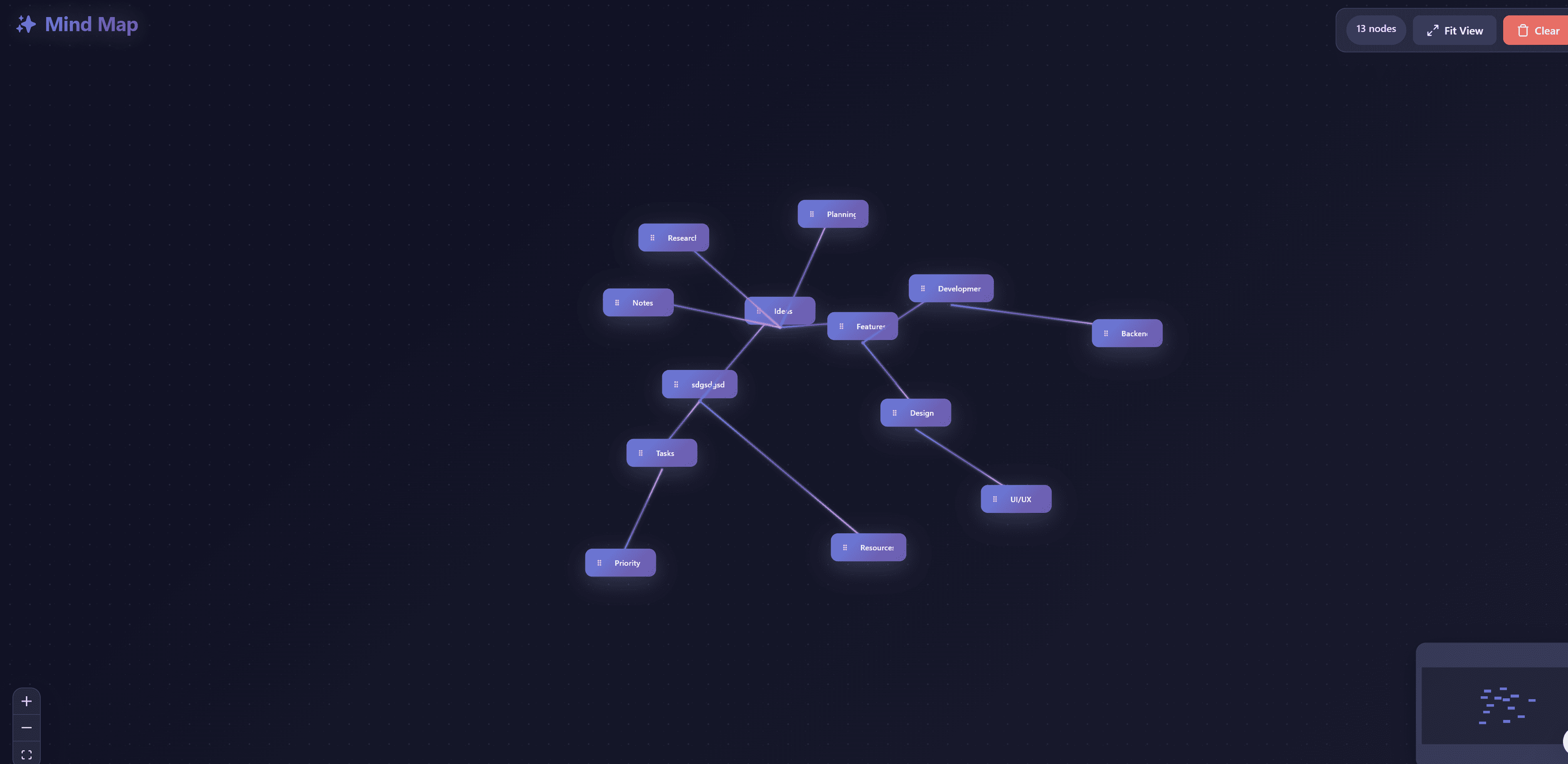
React flow concept map
Interactive concept mapping tool for organizing knowledge and visualizing relationships between ideas. Create hierarchical concept maps with drag-and-drop nodes, custom connections, and rich text editing. Perfect for education, research, brainstorming, and knowledge management with intuitive interface for building complex conceptual relationships.
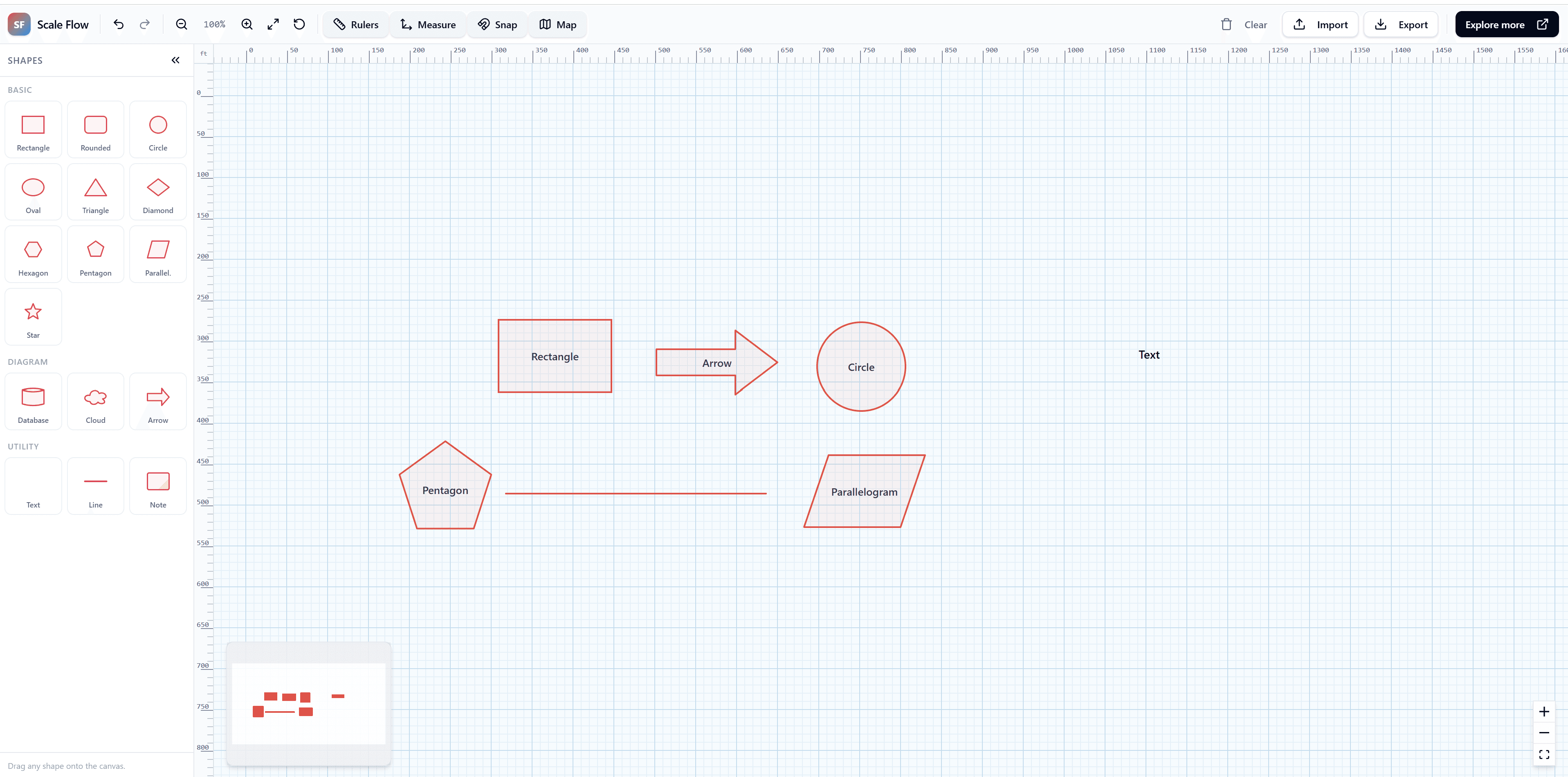
Scale Studio Pro Enterprise with React flow
An enterprise-grade, massive scale diagramming studio built with React Flow. Engineered for performance with thousands of nodes, advanced minimap navigation, and high-fidelity zoom.
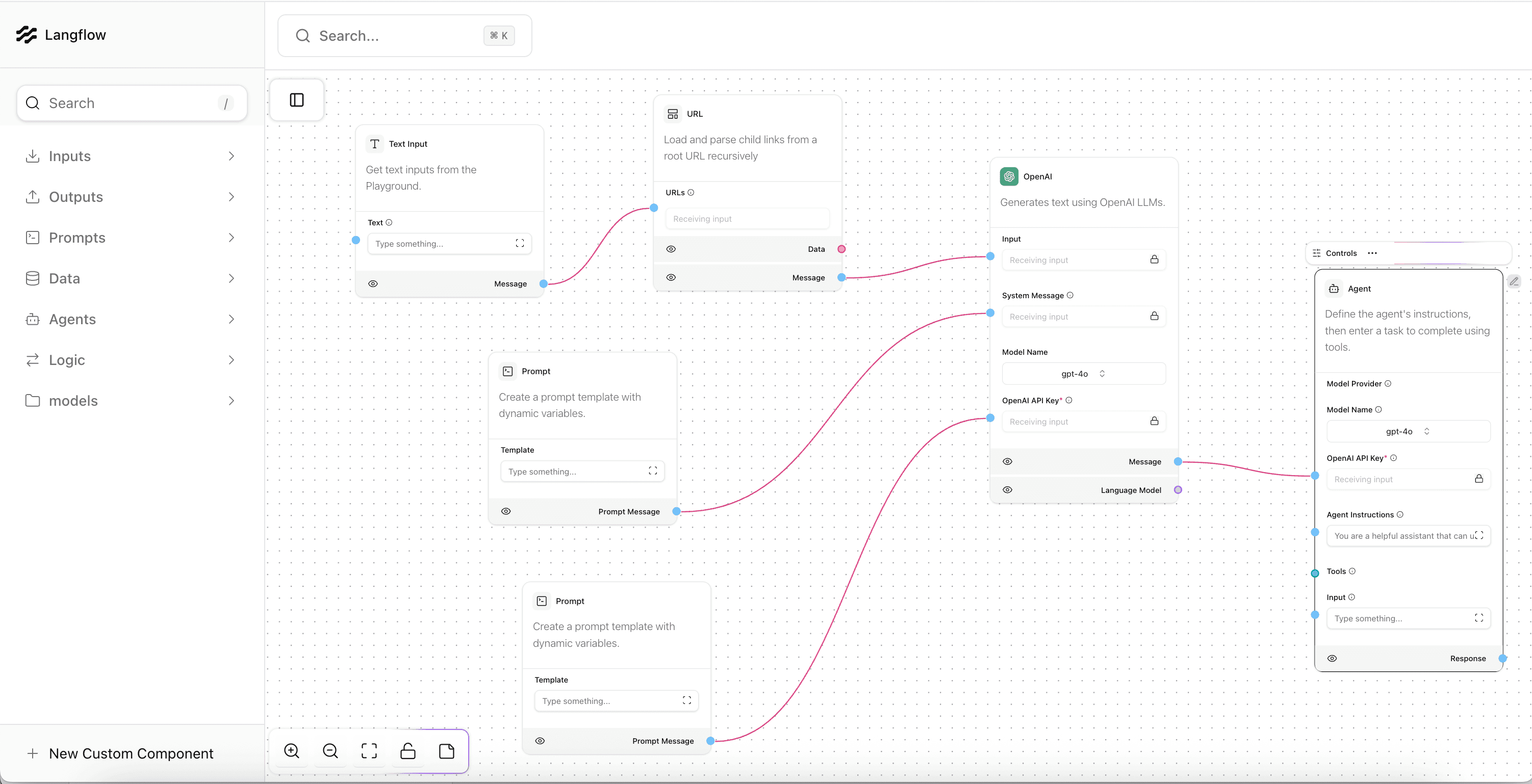
React flow Langflow builder
Langflow is a low-code AI application builder that enables developers to create sophisticated AI workflows, agents, and retrieval-augmented generation (RAG) applications without extensive coding. Build and deploy LLM-powered applications through intuitive visual interface with support for all major large language models, vector databases, and growing library of AI tools. Features prompt templating, model comparison, vector database integration, and production deployment tools for building AI chatbots, content generation systems, and complex reasoning agents.