Chat flow builder | React Flow Chatbot Flow Builder: Design Conversational Experiences Visually
Free
Chat flow builder | React Flow Chatbot Flow Builder: Design Conversational Experiences Visually
Chat Flow Builder revolutionizes how developers and designers create conversational experiences. This application provides a visual interface for designing chatbot conversation flows, making it easy to map out user interactions, define responses, and create engaging chat experiences. # React Flow Chatbot Flow Builder: Design Conversational Experiences Visually Designing chatbot conversations can become complicated as the number of messages, user choices, and conditional responses increases. Managing all that logic directly in code makes it harder to understand the conversation structure, maintain interaction paths, and update chatbot experiences. The **React Flow Chatbot Flow Builder** from VisualFlow provides a visual approach to designing chatbot conversation flows. Built with React Flow, this example allows developers and designers to map out conversational experiences using draggable nodes, custom message types, and conditional branching. Instead of managing every conversation path through code, you can visually organize conversation states and connect them to represent how users navigate through a chatbot. Whether you're designing a customer support bot, lead generation assistant, FAQ chatbot, or e-commerce shopping assistant, this React Flow example provides a structured foundation for building and visualizing conversational workflows. ## What Is a React Flow Chatbot Flow Builder? A React Flow Chatbot Flow Builder is a visual editor for designing chatbot conversation structures using nodes and connections. Each node represents a conversation state, such as a message, response, or interaction. Connections between nodes represent the possible paths a user can follow during a conversation. The **VisualFlow Chat Flow Builder** demonstrates how React Flow can be used to create and organize these conversational structures through an interactive visual interface. It includes custom node types for different message formats, conditional branching for personalized responses, and an element palette for organizing chatbot components. This approach makes complex conversation structures easier to understand, edit, and manage. ## Key Features of the React Flow Chatbot Flow Builder ### 1. Visual Conversation Flow Design Create chatbot conversation structures through a visual node-based editor. Instead of writing conversation logic without seeing the complete structure, you can represent individual conversation states as nodes and connect them to define navigation paths. This visual representation helps you understand how different messages and user interactions relate to one another. **Key benefits:** - Visualize complete chatbot conversation structures. - Organize messages and interaction states. - Connect different conversation paths. - Understand complex branching structures more easily. ### 2. Drag-and-Drop Node Editor The drag-and-drop functionality makes it easier to create and organize chatbot workflows. You can work with visual elements, position them on the canvas, and arrange conversation structures according to your requirements. This interaction model is useful when designing conversations with multiple steps, decision points, and alternative response paths. ### 3. Custom Node Types for Different Message Formats Different chatbot interactions require different types of content. The Chat Flow Builder demonstrates custom node types that support different message formats. This makes it possible to represent different conversation elements visually rather than treating every step as an identical block. Custom node types also provide a foundation for extending the editor with additional chatbot-specific components as your application evolves. ### 4. Conditional Branching for Personalized Conversations Not every user follows the same conversation path. Conditional branching helps represent different possible outcomes based on user choices or conversation conditions. For example, a customer support chatbot might direct users toward different paths depending on the type of assistance they need. With visual branching, developers can organize alternative conversation routes and understand how different paths connect. **Example scenarios:** - Route users to different support categories. - Organize product recommendation paths. - Create alternative lead qualification journeys. - Design multiple onboarding experiences. ### 5. Element Palette for Flexible Workflow Creation An element palette provides a collection of available visual elements for building chatbot conversation structures. Rather than designing every component from scratch, developers can work with the available elements to organize different parts of a conversation. This makes the editor more flexible when creating chatbot flows with multiple message types and interaction stages. ### 6. Tooltips and Interactive Selection The example includes tooltips and selection capabilities to support interaction with the visual editor. These features help users work with individual elements and understand the structure of their chatbot workflows while editing the canvas. ### 7. Custom Shapes Custom shapes provide additional flexibility when representing different types of conversation elements. Instead of relying exclusively on standard flowchart shapes, developers can create a more specialized visual language for chatbot interfaces. This is particularly useful when building editors that need to distinguish between different conversation states or message categories. ## What Can You Build with a Chatbot Flow Builder? A visual chatbot editor can support several conversational design scenarios. ### Customer Service Chatbots Map customer support conversations, organize common questions, and visualize different support routes. A structured flow makes it easier to understand how users move between support options. ### Lead Generation Conversation Flows Design lead qualification journeys that guide visitors through questions and response paths. Visual branching helps organize different routes based on user selections. ### FAQ and Support Bots Organize frequently asked questions into connected conversation paths. Group related topics and create a clearer structure for navigating support information. ### E-commerce Shopping Assistants Visualize shopping conversations, product discovery journeys, and alternative recommendation paths. This can help developers plan conversational shopping experiences. ### Onboarding and Tutorial Bots Create structured onboarding conversations that guide users through product features, setup steps, or introductory instructions. ### Survey and Feedback Collection Design survey conversations with multiple questions and alternative response paths. A visual flow makes it easier to review the sequence and organization of the questions. ## Technology Stack and Architecture The VisualFlow Chat Flow Builder example uses a modern frontend technology stack: | Technology | Purpose | | --- | --- | | React | Building the user interface | | TypeScript | Type-safe application development | | React Flow | Node-based visual editor and flow interactions | | Tailwind CSS | Interface styling | | JSON | Structured data representation | React Flow provides the node-and-edge foundation for the editor, while React and TypeScript support the application architecture. This combination makes the example relevant to developers building custom visual editors, workflow applications, and node-based interfaces. ## Who Should Use This React Flow Example? The React Flow Chatbot Flow Builder is particularly useful for: - **React developers** building node-based chatbot interfaces. - **Frontend engineers** exploring custom React Flow applications. - **SaaS product teams** developing visual conversation editors. - **UX/UI designers** planning chatbot interaction structures. - **AI application developers** organizing conversational workflows. - **Workflow platform builders** creating visual interaction systems. It can serve as a starting point for developers who want to explore how a chatbot conversation editor can be structured with React Flow. ## Why Use React Flow to Build a Chatbot Flow Editor? React Flow provides a node-based interface that makes complex relationships easier to visualize and manipulate. For chatbot applications, this is especially useful because conversations naturally contain connected states, alternative paths, and branching interactions. A visual editor built with React Flow can help developers: - Represent conversation states as individual nodes. - Connect messages and responses through edges. - Organize alternative conversation paths. - Create custom components for different interaction types. - Build interactive interfaces for editing complex workflows. The VisualFlow example demonstrates these concepts through a dedicated chatbot flow editor. ## Explore the React Flow Chatbot Flow Builder Want to see how a visual chatbot conversation editor works? Explore the VisualFlow Chat Flow Builder to see how conversation states, custom message nodes, drag-and-drop interactions, and conditional branching can be organized in a React Flow-based interface. **Live Demo:** https://chat-flow-builder-one.vercel.app/ **Template Page:** https://www.visualflow.dev/templates/chat-flow-builder VisualFlow provides React Flow templates and interactive examples for developers building workflow automation tools, visual editors, AI workflow builders, and other node-based applications. ## Frequently Asked Questions (FAQ) ### 1. What is a React Flow Chatbot Flow Builder? A React Flow Chatbot Flow Builder is a visual editor that uses nodes and connections to represent chatbot conversations. Each node represents a conversation state, while connections define possible navigation paths between states. ### 2. Can I build a chatbot conversation visually with React Flow? Yes. React Flow provides a node-based interface for creating visual conversation structures. Developers can use custom nodes, connections, and branching logic to represent chatbot interactions. ### 3. What are the main features of a chatbot flow builder? Common features include drag-and-drop editing, custom message nodes, conditional branching, element palettes, interactive selection, tooltips, and custom shapes. ### 4. What can I build with a visual chatbot flow editor? You can design conversation structures for customer support bots, lead generation assistants, FAQ systems, e-commerce shopping assistants, onboarding bots, and survey applications. ### 5. Which technologies are used in the VisualFlow Chat Flow Builder? The example uses React, TypeScript, React Flow, Tailwind CSS, and JSON. ### 6. Is the VisualFlow Chat Flow Builder free? The VisualFlow Chat Flow Builder is listed as a free MIT-licensed template. Refer to its template page for the available source and licensing information. ### 7. Does the Chat Flow Builder automatically deploy a working AI chatbot? The example focuses on visually designing chatbot conversation flows. Connecting the editor to an AI model, messaging service, backend, or chatbot deployment system would require additional application development and integrations. ### 8. Why use a visual editor instead of writing chatbot logic directly in code? A visual editor makes conversation structures easier to inspect, organize, and modify. It helps developers understand branching paths and the relationships between conversation states without having to follow all the logic through source code. ## Final Thoughts The **React Flow Chatbot Flow Builder** demonstrates how node-based visual programming can simplify the design of conversational experiences. With drag-and-drop interactions, custom message node types, conditional branching, an element palette, and interactive editing capabilities, it provides a useful foundation for developers exploring visual chatbot editors. For developers building customer support systems, lead generation tools, FAQ assistants, or conversational workflow applications, this example shows how React Flow can turn complex conversation structures into an organized visual interface. Explore more production-ready React Flow examples and templates at **VisualFlow**. Building chatbots traditionally requires juggling code and conversation logic simultaneously. Chat Flow Builder simplifies this process by providing an intuitive visual editor where you can design complete conversation flows through drag-and-drop interactions. Each node represents a conversation state, and connections show how users navigate through the chat experience. This example demonstrates the power of visual programming for conversational AI. With features like custom node types for different message formats, conditional branching for personalized responses, and an extensive element palette, you can create sophisticated chatbots without losing sight of the overall conversation structure.
Architecture & Features
Recommended Use Cases
Free to use for commercial and personal projects.
Related Pro Examples
Explore our newest commercial React Flow templates & workflows
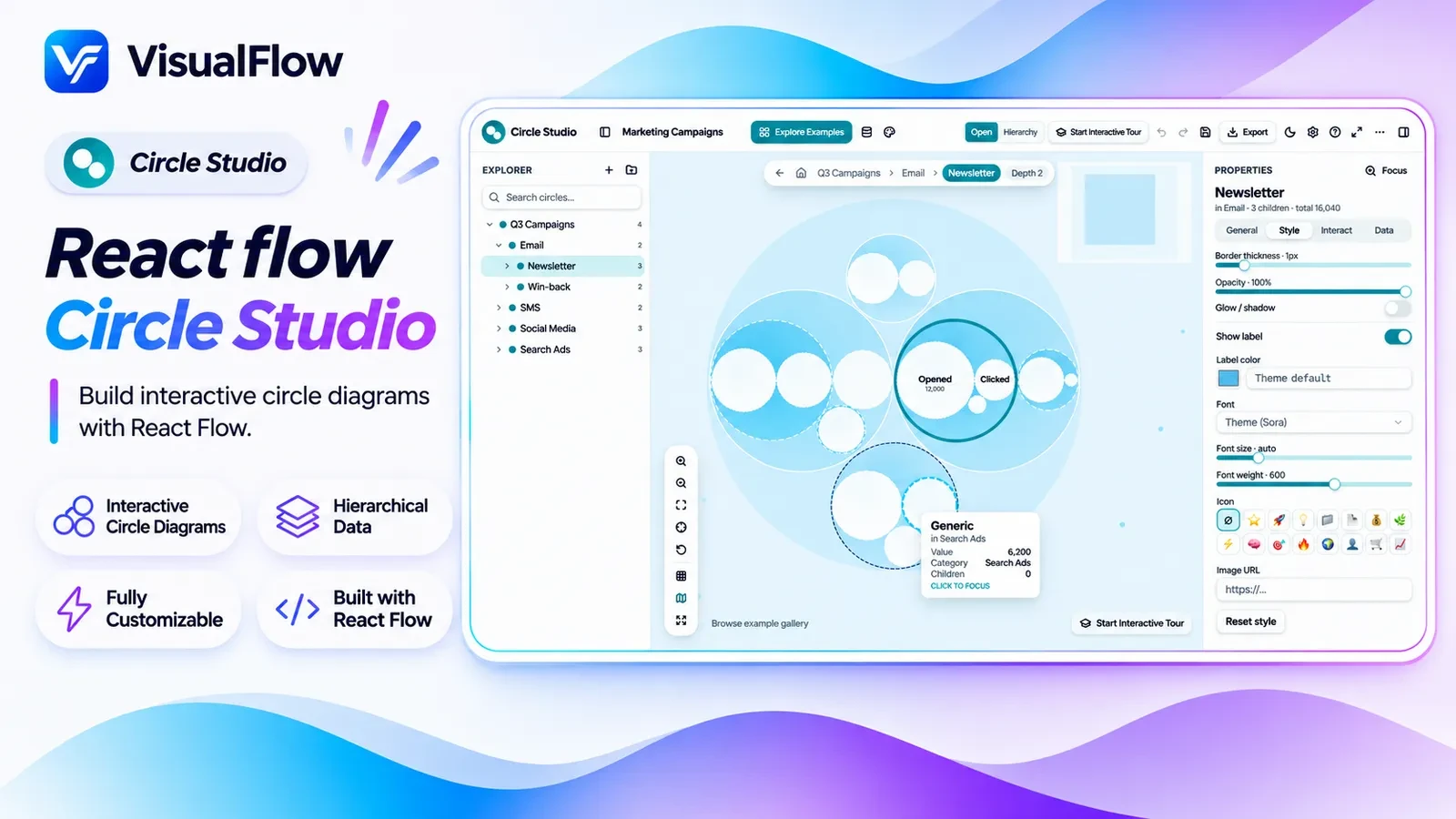
React Flow Circle Studio: Create Interactive Circle Packing Visualizations for Hierarchical Data
React Flow Circle Studio by VisualFlow demonstrates an interactive approach to hierarchical data visualization using a zoomable circle packing layout. Instead of representing information through conventional tables or linear charts, circle packing organizes data into nested circles. Each circle represents an item or category, while smaller circles inside it represent its children or related elements. This visualization technique makes it easier to understand hierarchical structures, explore relationships, and navigate datasets through an interactive visual representation. Whether you're developing data visualization dashboards, exploring nested datasets, building analytical interfaces, or creating interactive information explorers, React Flow Circle Studio provides an example of how hierarchical data can be presented through a circle-based visual layout.
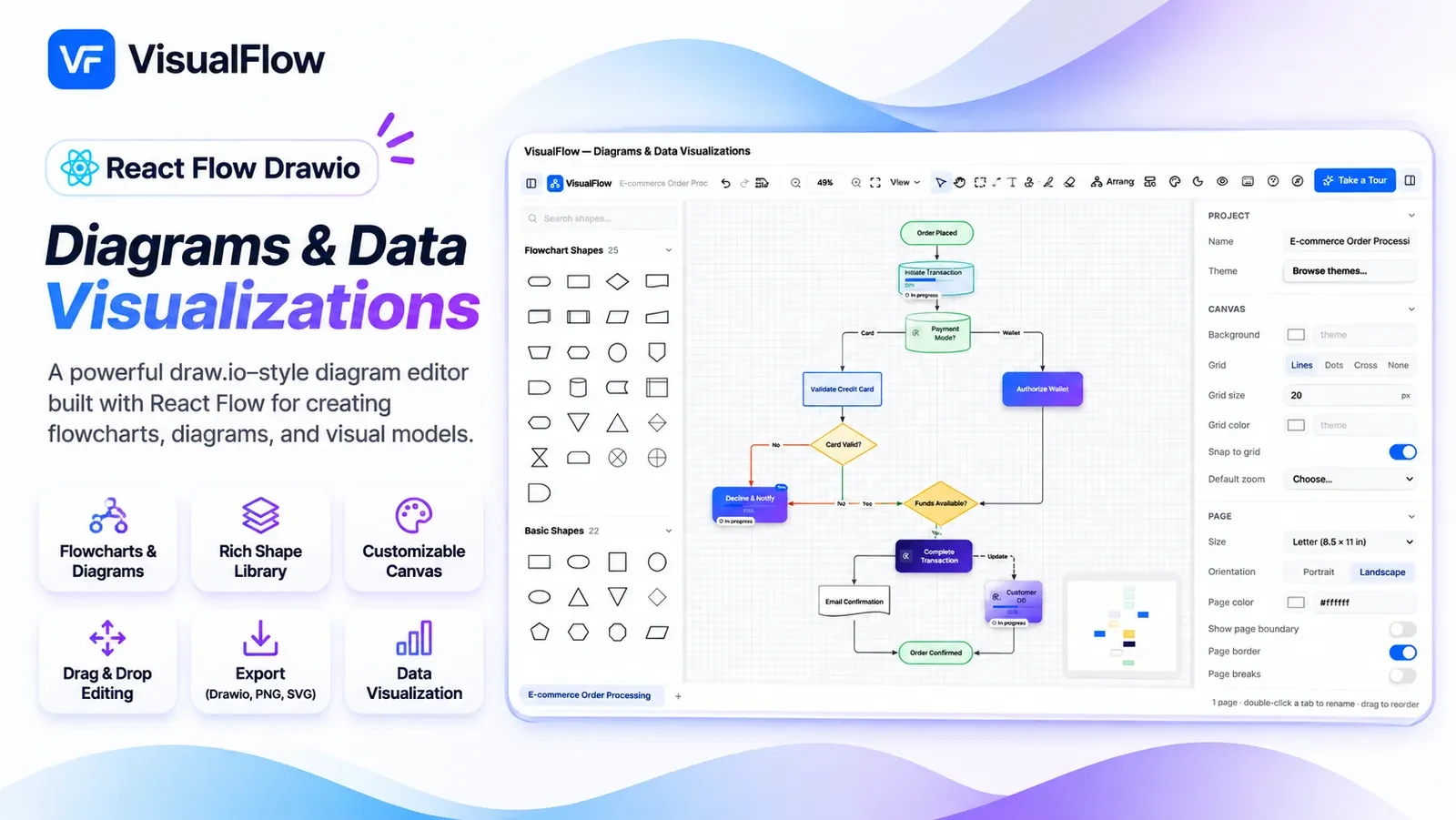
VisualFlow Diagram Maker – Flowcharts, BPMN & Data Visualization
Create professional flowcharts, BPMN diagrams, and data visualizations with VisualFlow. Explore customizable nodes, infinite canvas, templates, and advanced editing tools.
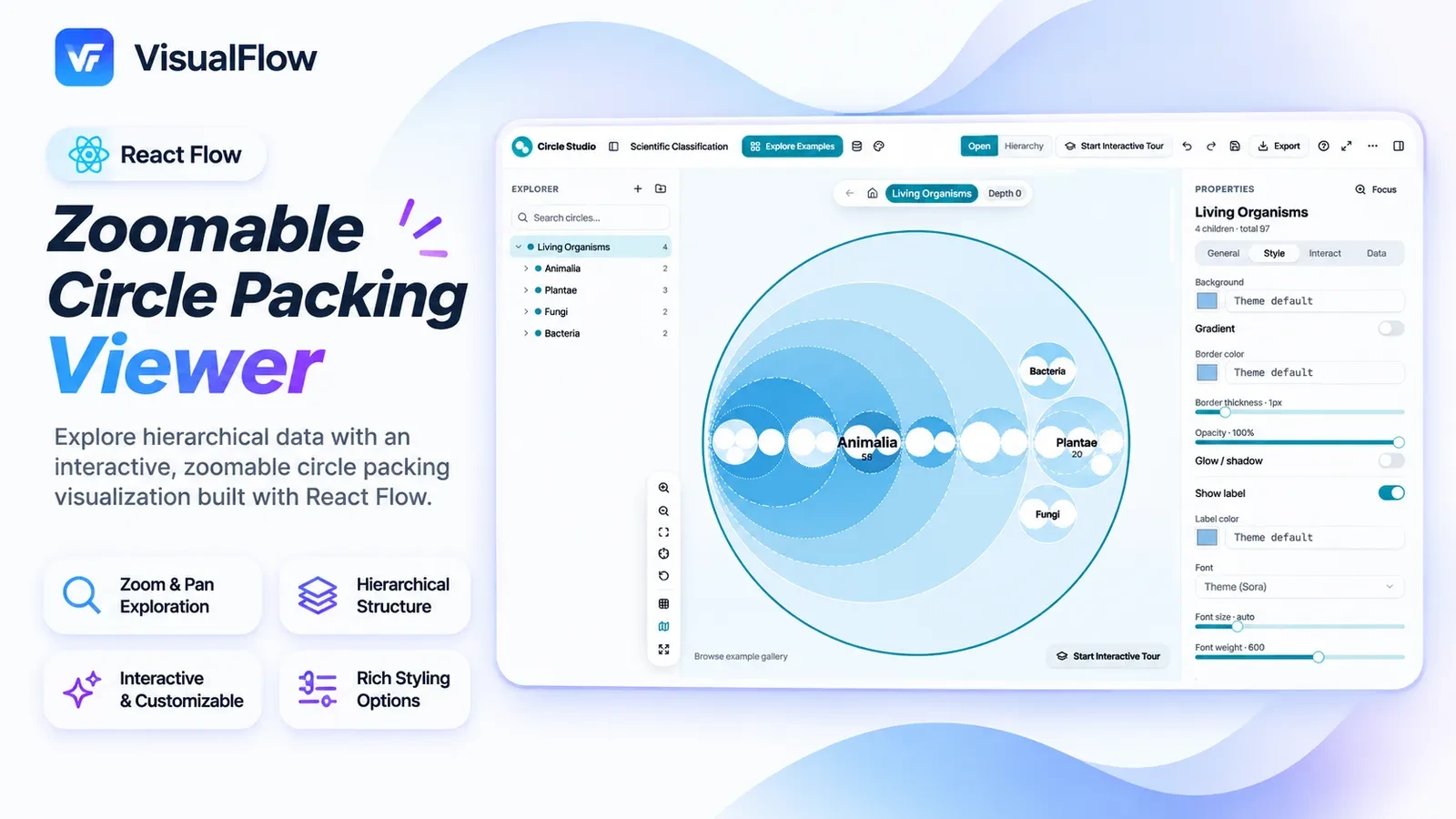
React Flow Zoomable Circle Packing Viewer: Explore Hierarchical Data Through Interactive Circle Visualization
Explore hierarchical data with a React Flow Zoomable Circle Packing Viewer. Discover interactive zooming, nested circles, custom styling, and data visualization features.