Process Flow Studio: Professional Business Process Design with ReactFlow
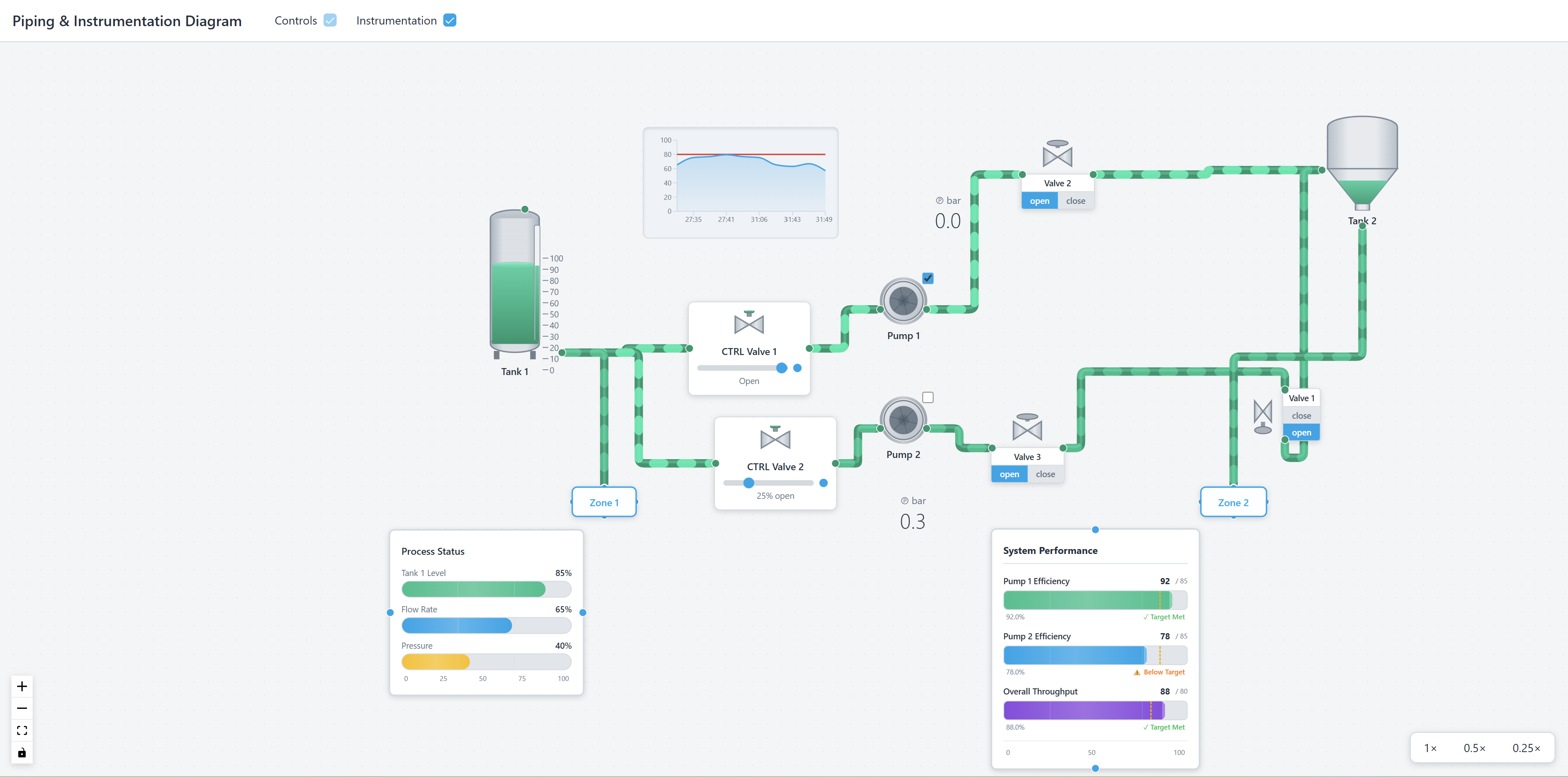
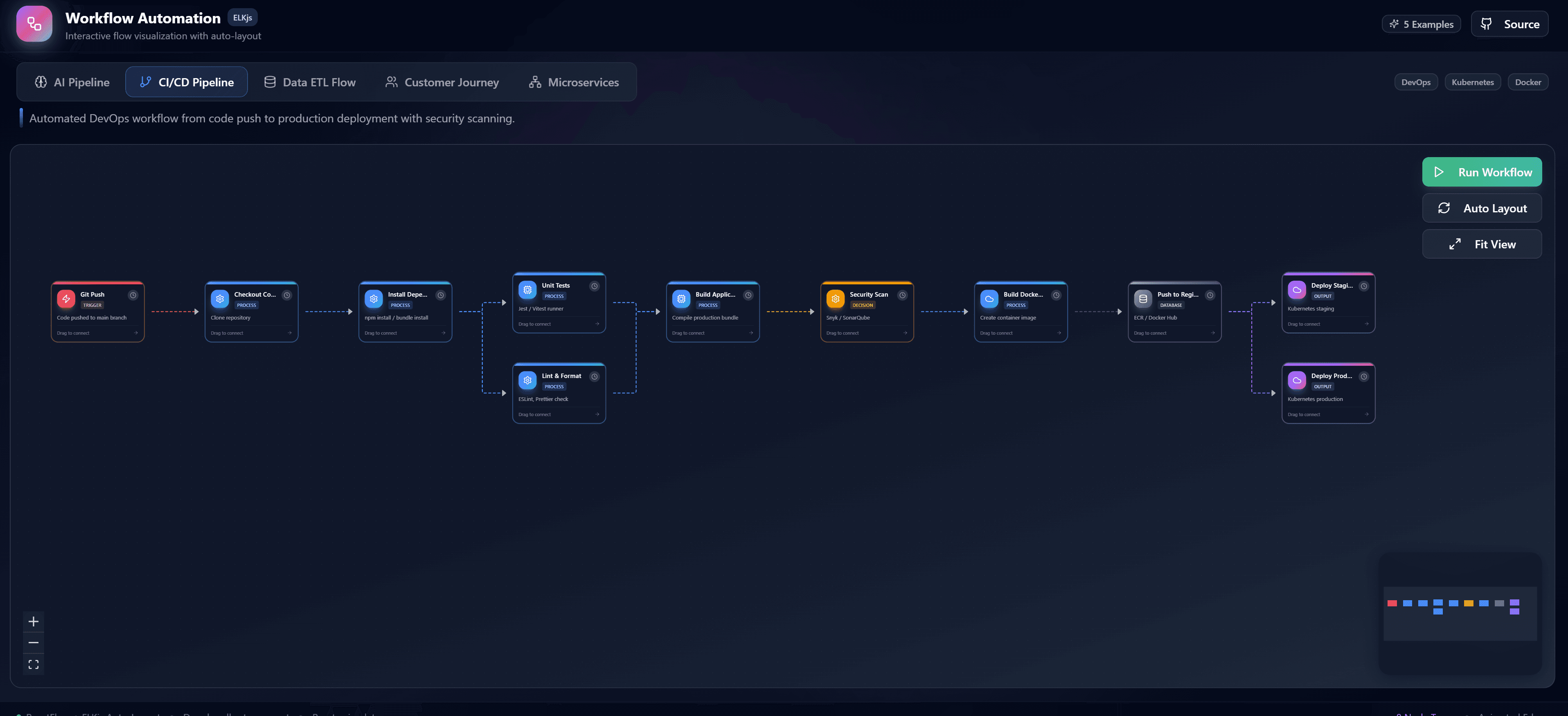
Process Flow Studio is a professional-grade process flow design tool built with ReactFlow that empowers business analysts, process engineers, and teams to create sophisticated business process diagrams with ease. This comprehensive solution provides everything you need to design, document, and share complex workflows.
Why Process Flow Visualization Matters
Business processes are the backbone of every organization, but they're often:
- Poorly documented: Processes exist only in people's heads
- Inconsistent: Different teams follow different processes
- Inefficient: Processes haven't been optimized or reviewed
- Hard to communicate: Difficult to explain complex processes
Process Flow Studio solves these challenges by providing a visual, collaborative platform for process design that makes it easy to document, optimize, and communicate business processes effectively.
Key Features
Advanced Node Library
Comprehensive library of process nodes including:
- Activities: Tasks and work items in the process
- Decision points: Decision gates and branching logic
- Events: Start, intermediate, and end events
- Gateways: Exclusive, inclusive, and parallel gateways
- Swimlanes: Organizational roles and responsibilities
- Custom shapes: Create custom node types for specific needs
Each node type is designed to represent standard business process modeling concepts, making it easy to create diagrams that follow industry best practices.
Layout Algorithms
Intelligent automatic layout algorithms that:
- Optimize arrangement: Automatically arrange process flows for optimal readability
- Minimize crossings: Reduce edge crossings for cleaner diagrams
- Maintain hierarchy: Preserve logical hierarchy and flow direction
- Adapt to changes: Adjust layout as processes evolve
The layout algorithms ensure your process diagrams are professional, readable, and maintainable even as they grow in complexity.
Collaboration Tools
Real-time collaboration features including:
- Multi-user editing: Multiple users can work on diagrams simultaneously
- Presence indicators: See who's working on which parts of the diagram
- Comments and annotations: Add comments and discussions to process elements
- Version history: Track changes and revert to previous versions
- Change tracking: See what changed and who made changes
Collaboration tools enable teams to work together effectively on process design, ensuring everyone's input is captured and processes are well-designed.
Export Capabilities
Export process diagrams to multiple formats:
- PNG/SVG: High-resolution images for presentations and documentation
- PDF: Professional documentation format
- BPMN: Standard business process modeling notation format
- JSON: Machine-readable format for integration
- Print: Optimized layouts for printing
Export capabilities ensure your process diagrams can be shared, integrated into documentation, and used in presentations and reports.
Custom Templates
Create and save custom templates for:
- Common process types: Templates for common business processes
- Industry standards: Templates following industry best practices
- Organizational standards: Templates matching your organization's standards
- Reusable components: Save process fragments for reuse
Templates speed up diagram creation and help maintain consistency across your organization's process documentation.
Implementation Details
Process Node Types
Define custom node types for process elements:
// Example: Process node types
const ProcessNodeTypes = {
  activity: {
    shape: 'rectangle',
    color: '#4CAF50',
    icon: '⚙️',
  },
  decision: {
    shape: 'diamond',
    color: '#FF9800',
    icon: '❓',
  },
  event: {
    shape: 'circle',
    color: '#2196F3',
    icon: '⚡',
  },
  gateway: {
    shape: 'hexagon',
    color: '#9C27B0',
    icon: '🔀',
  },
};

const ProcessNode = ({ data, type }) => {
  const nodeConfig = ProcessNodeTypes[type];

  return (
    <div
      className={`process-node type-${type}`}
      style={{
        backgroundColor: nodeConfig.color,
        borderRadius: nodeConfig.shape === 'circle' ? '50%' : '4px',
      }}
    >
      <div className="node-icon">{nodeConfig.icon}</div>
      <div className="node-label">{data.label}</div>
      {data.description && (
        <div className="node-description">{data.description}</div>
      )}
    </div>
  );
};
BPMN Export
Export processes to BPMN format:
// Example: Export to BPMN
function exportToBPMN(processDiagram) {
  const bpmn = {
    definitions: {
      process: {
        id: processDiagram.id,
        name: processDiagram.name,
        flowElements: processDiagram.nodes.map(node => ({
          id: node.id,
          name: node.data.label,
          $type: getBPMNType(node.type),
        })),
        sequenceFlows: processDiagram.edges.map(edge => ({
          id: edge.id,
          sourceRef: edge.source,
          targetRef: edge.target,
        })),
      },
    },
  };

  return convertToBPMNXML(bpmn);
}
Collaboration Features
Implement real-time collaboration:
// Example: Real-time collaboration
import { useCollaboration } from './collaboration';

function ProcessFlowEditor() {
  const {
    users,
    presence,
    comments,
    addComment,
    trackChanges
  } = useCollaboration();

  const handleNodeChange = (nodeId, changes) => {
    trackChanges(nodeId, changes);
    // Sync changes to other users
  };

  return (
    <div className="process-editor">
      <PresenceIndicator users={users} />
      <ProcessCanvas
        onNodeChange={handleNodeChange}
        comments={comments}
        onAddComment={addComment}
      />
    </div>
  );
}
Use Cases
Business Process Documentation
Document business processes for:
- Process manuals: Create comprehensive process documentation
- Training materials: Develop training materials for new employees
- Compliance: Document processes for regulatory compliance
- Audit trails: Maintain audit trails of process changes
Workflow Design and Optimization
Design and optimize workflows:
- Process improvement: Identify bottlenecks and optimization opportunities
- Workflow redesign: Redesign workflows for better efficiency
- Automation planning: Plan automation of manual processes
- Resource allocation: Optimize resource allocation in processes
Process Improvement Planning
Plan process improvements:
- Current state analysis: Document current processes
- Future state design: Design improved processes
- Gap analysis: Identify gaps between current and future states
- Implementation planning: Plan implementation of improvements
Compliance and Audit Documentation
Document processes for compliance:
- Regulatory compliance: Document processes for regulatory requirements
- Internal audits: Prepare for internal audits
- External audits: Support external audit processes
- Risk management: Document processes for risk management
Training and Onboarding
Use process diagrams for training:
- Employee onboarding: Help new employees understand processes
- Process training: Train employees on specific processes
- Cross-training: Enable cross-training between teams
- Knowledge transfer: Transfer process knowledge effectively
Best Practices
Process Design
- Start with goals: Define process goals and objectives
- Identify stakeholders: Identify all process stakeholders
- Map current state: Document current process before improving
- Design future state: Design improved process
- Validate design: Validate process design with stakeholders
Diagram Organization
- Use standard notation: Follow BPMN or other standard notations
- Maintain consistency: Use consistent styling and symbols
- Group related elements: Group related process elements
- Keep it readable: Ensure diagrams remain readable as they grow
Collaboration
- Involve stakeholders: Involve all relevant stakeholders
- Document decisions: Document design decisions and rationale
- Review regularly: Review and update processes regularly
- Maintain version control: Keep track of process versions
Documentation
- Add descriptions: Add descriptions to process elements
- Document exceptions: Document exception handling
- Include metrics: Include process metrics and KPIs
- Link to resources: Link to related resources and documentation
Integration Possibilities
Business Process Management (BPM) Platforms
Integrate with BPM platforms:
- Process execution: Execute processes in BPM platforms
- Process monitoring: Monitor process execution
- Process analytics: Analyze process performance
- Process optimization: Optimize processes based on analytics
Documentation Systems
Integrate with documentation systems:
- Wiki integration: Embed process diagrams in wikis
- Document management: Store process diagrams in document management systems
- Knowledge bases: Include processes in knowledge bases
- Intranets: Share processes on company intranets
Workflow Automation Tools
Connect with workflow automation:
- Automation design: Design workflows for automation tools
- Workflow import: Import process designs into automation tools
- Workflow export: Export processes for automation
- Integration mapping: Map processes to automation workflows
Benefits
Improved Process Understanding
- Visual clarity: See processes clearly and understandably
- Better communication: Communicate processes effectively
- Faster onboarding: Help new team members understand processes quickly
- Reduced errors: Reduce errors through clear process documentation
Enhanced Collaboration
- Team collaboration: Enable teams to work together on process design
- Stakeholder involvement: Involve stakeholders in process design
- Knowledge sharing: Share process knowledge effectively
- Consensus building: Build consensus on process design
Better Process Management
- Process optimization: Identify and implement process improvements
- Consistency: Maintain consistency across processes
- Compliance: Ensure processes meet compliance requirements
- Continuous improvement: Enable continuous process improvement
Professional Documentation
- Professional appearance: Create professional-looking process diagrams
- Standard compliance: Follow industry standards and best practices
- Comprehensive documentation: Create comprehensive process documentation
- Easy sharing: Share processes easily with stakeholders
Conclusion
Process Flow Studio provides a comprehensive solution for business process design and documentation. By combining ReactFlow's powerful diagramming capabilities with professional process modeling features, this tool enables teams to create, document, and optimize business processes effectively.
Whether you're documenting existing processes, designing new workflows, or planning process improvements, Process Flow Studio provides the professional-grade tools you need. The combination of advanced features, collaboration tools, and export capabilities creates an invaluable resource for business process management.
Start designing better processes today and discover how visual process design can transform your organization's process management.